


This month Glean released Glean Notes + Live Captions for the Workplace! Head of Occupational Delivery Mark Woodward provides his review of the new features and shares his thoughts on why Captions are a valuable addition for users seeking a richer and more accessible experience!
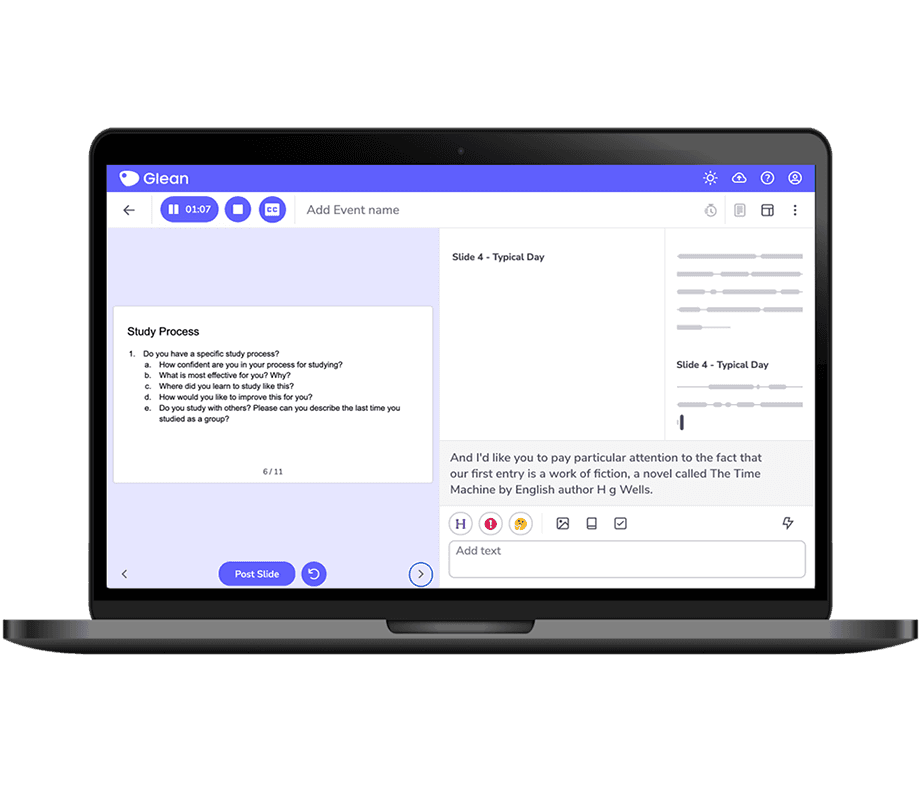
Image shows a Laptop with Glean and Live Captions on the screen!
So what’s new?
In the ever-evolving assistive technology landscape, Glean has once again raised the bar with its latest feature—captions. This is a valuable addition to an already impressive tool, making Glean an even more inclusive and effective tool.
Captions have long been associated with videos, aiding users in understanding content, even in noisy environments or situations where audio playback is impractical. Glean has always had the ability to transcribe an audio recording, but one of Glean’s strengths is the ability to work with the audio live – as the conversation, meeting, or presentation is happening. For example, adding notes, tasks, or even highlighting parts of the audio. The addition of live captioning has now made this way of working a whole lot more accessible.
The addition of captions offers users an additional way to absorb information more efficiently, making it a valuable tool for professionals on the go or those working in dynamic and noisy environments. This ensures that users can grasp the essence of the content, even in scenarios where silence is golden, or audio is not your preferred medium.
That said, captioning is only useful if it’s accurate! You’ll be pleased to know that Glean’s caption feature utilises cutting-edge speech-to-text technology to generate accurate and real-time captions.
In conclusion, Glean’s new caption feature is more than just a text overlay—it’s a valuable addition for users seeking a richer and more accessible experience.
By harnessing the power of captions Glean ensures that every user can engage with Glean more effectively, ultimately leading to a more inclusive and productive work environment.
Resources
Check out Gleans Feature Page which gives an overview of Live Captions and includes a demo video.
You can also book on to their webinars where they’ll demonstrate the Live Caption feature and recap all the 2023 feature releases > BOOK HERE
Their help article is a great way to support users who have received Glean Notes + Captions.
Recommending Glean
If you’re an Assessor, here’s a comprehensive guide on recommending Glean.
Request a free evaluator account – free evaluator accounts are only available to those who need to demonstrate Glean to potential users, e.g needs assessors and disability advisors or those who support students using Glean, e.g AT Trainers, Mentors and Study Skills Tutors
About the author

Mark has worked in the field of neurodiversity for more than 12 years and has a wealth of knowledge and expertise in supporting not just people but also teams, managers, and organisations, from creating comprehensive programmes to individual training and coaching.
Prior experience in senior management and operational roles has given Mark an important understanding and awareness of both the needs of the organisation, managers, and of the individual employee.
Connect with Mark on LinkedIn.
Related readings

Masking at Work: The Hidden Impact of Burnout Neurodivergent Employees Face

